Posted by Rose Bush on December 14th, 2012
Red Hat Enterprise Linux Server release 5.3 (Tikanga)
File found in: /etc/sysconfig/network-scripts/ifcfg-eth0
|
|
DEVICE=eth0 BOOTPROTO=static IPADDR=%IP Address% NETMASK=%Netmask% GATEWAY=%Gateway% ONBOOT=yes |
Ubuntu Server 10.04 LTS
File found in: /etc/network/interfaces
|
|
auto eth0 iface eth0 inet static address %IP Address% netmask %Netmask% gateway %Gateway% |
CentOS release 5.8 (Final)
File found in: /etc/sysconfig/network-scripts/ifcfg-eth0
|
|
DEVICE=eth0 BOOTPROTO=static IPADDR=%IP Address% NETMASK=%Netmask% GATEWAY=%Gateway% ONBOOT=yes |
Filed under: Code or Hosting | Comment (0)
Posted by Rose Bush on December 12th, 2012
How does one move an SSL Certificate between web hosts securely? Well, you want the certificate exported from the source server. If you have direct access, you can do this yourself, otherwise I would CALL the Source Provider. Supply them a randomly generated password, you can have them generate a password for you. This password should NOT be emailed to you if at all possible. The password should be used to secure the SSL certificate. Have the certificate exported as a PFX, this is a common format that includes almost everything you could need for the SSL, outside of intermediate certificates. The password secured PFX can then be emailed, and it can then be provided to the destination host. Supply them the password used over the phone, or if you have direct access you can import the PFX using the password. I will be adding articles for exporting and importing certificates. I will soon be securing the SSL specific scripts on this site to be accessible ONLY when reached securely. Oh how nice that will be.
Filed under: Code or Hosting | Comment (0)
Posted by Rose Bush on December 7th, 2012
If you want to disable a submit button once it has been clicked, to prevent double clicking and/or double form submission. You can use the below code snipet, as the onclick value as seen in the snipet, to disable the button once clicked, update the button text to a notice for the end user, and finally submit the form.
|
|
onclick="this.disabled=true;this.value='Submitting form, please be patient...';this.form.submit();" |
Filed under: Code or Hosting | Comments Off on Disable the Submit Button at onclick
Posted by Rose Bush on December 7th, 2012
Tyco Notebook Games
I went looking for these after not having a clue of the name, found a post that led me to one image, and used it to find the other images (Thank you eBay). Sadly, I don’t have the 60$ to burn on obtaining them, me thinks. Well, I will know within two days when the auction ends. I would much prefer to obtain the flash attachment for the View Master Personal Stereo Camera, in box!











Filed under: Blog | Comments Off on Tyco Notebook Games
Posted by Rose Bush on December 7th, 2012
I seriously can not stand the blue’ish color it comes up with. To change the default font color on reply messages in Outlook (this is as of Outlook Professional 2010 Version: 14.0.6123.5001 (32-bit)).
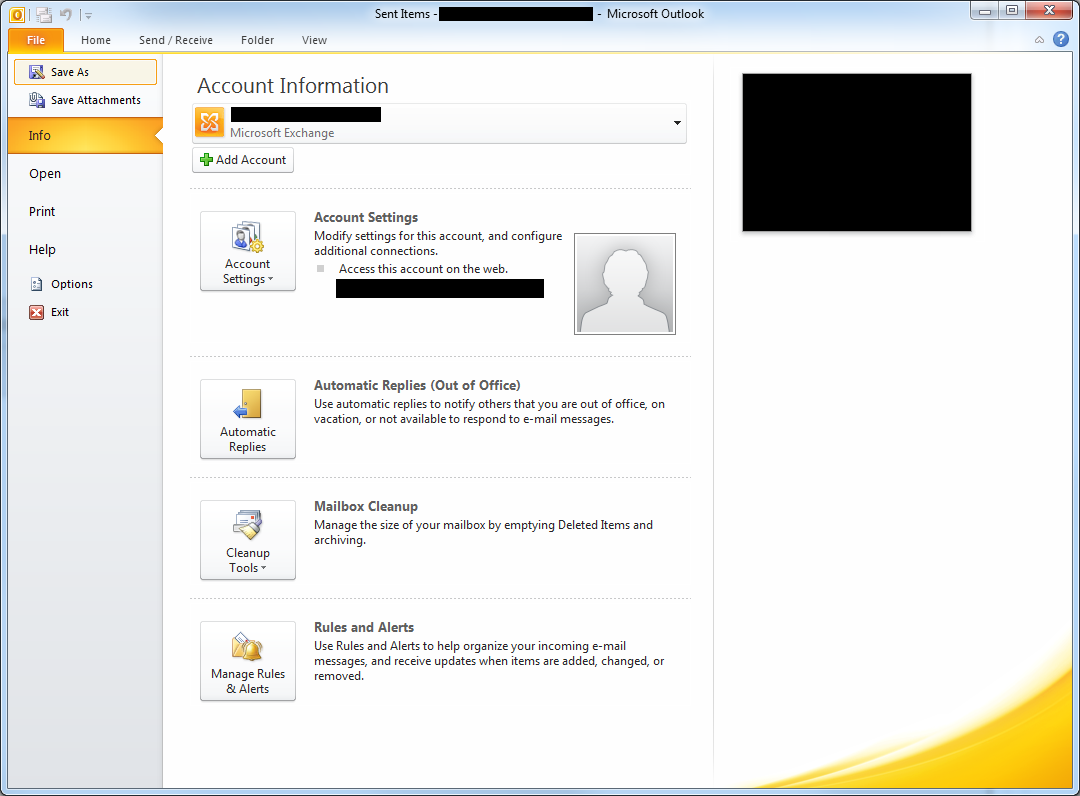
Go to File:
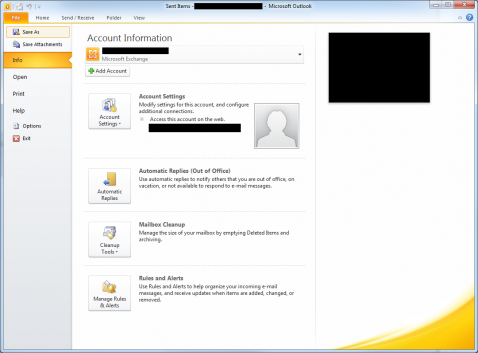
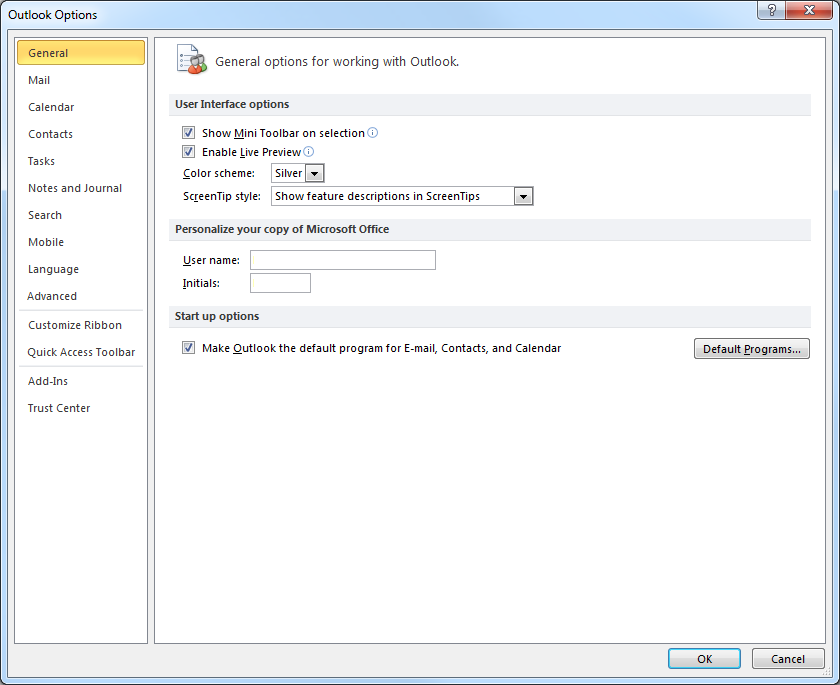
Click Options:
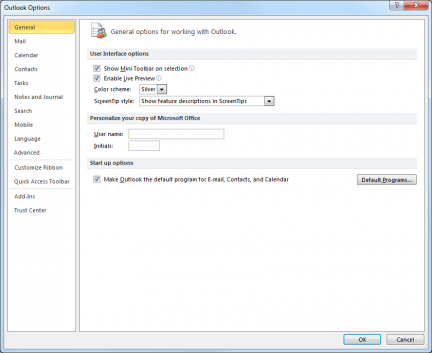
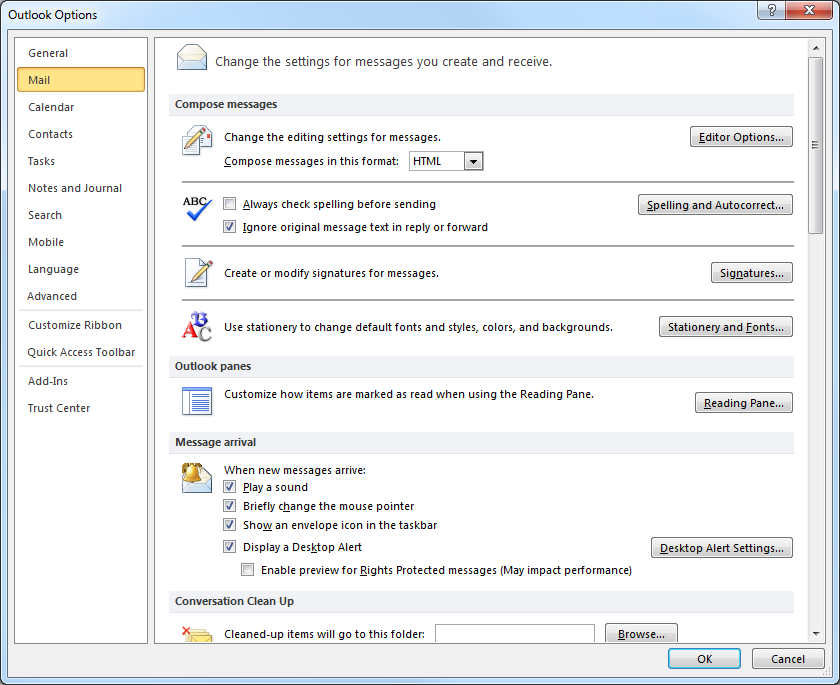
Click on the Mail text in the Navigation:
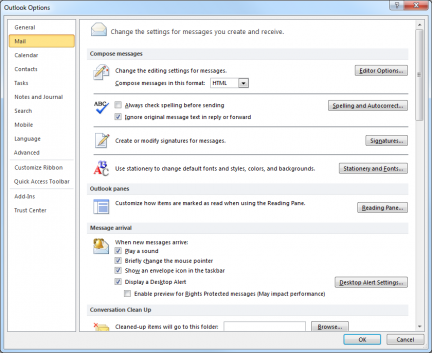
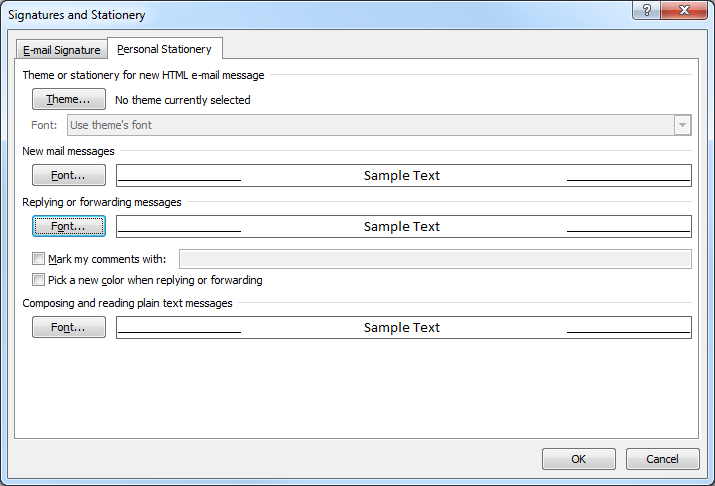
Click on Stationery and Fonts:
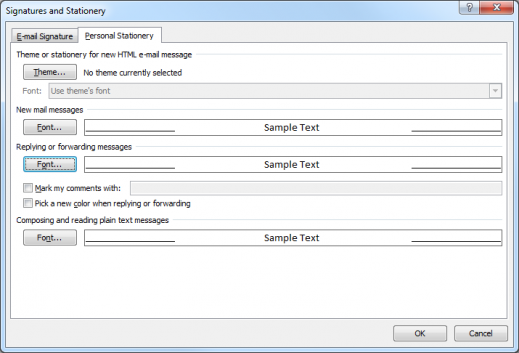
Here you can change the font, you can see in the above image I had clicked on the Font… button under the Replying or forwarding message section. I am so much happier with email responses that maintain formatting with my other messages.
Filed under: Code or Hosting | Comments Off on Change Default Font Color on Reply Messages in Outlook
Posted by Rose Bush on December 6th, 2012
This article is specific to version 7, but the workflow is very similar on previous versions and likely to be similar on later versions.
From within the SmarterStats Interface, click on New:
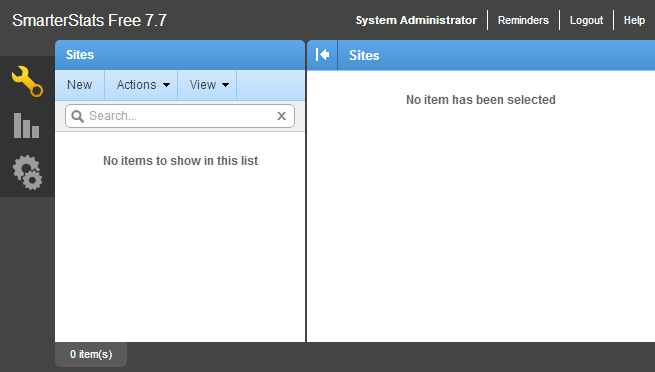
You will be given a new window for creating a site:
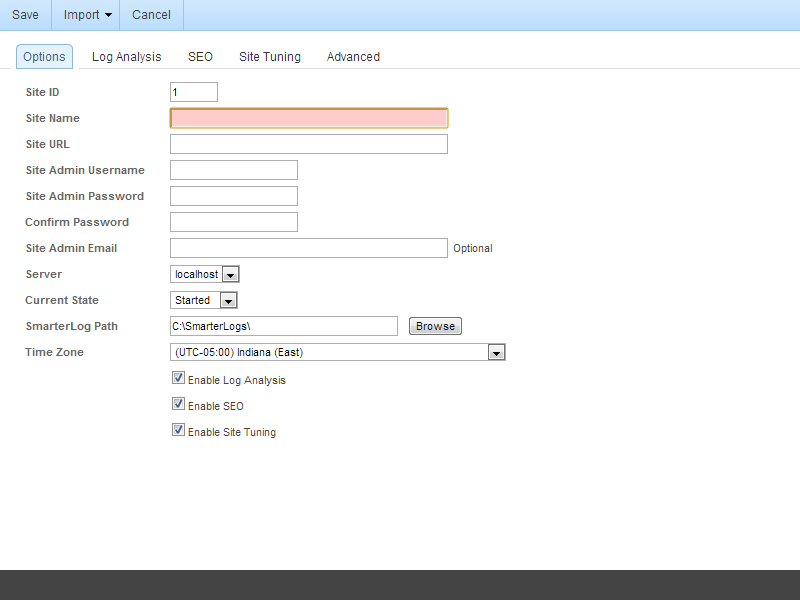
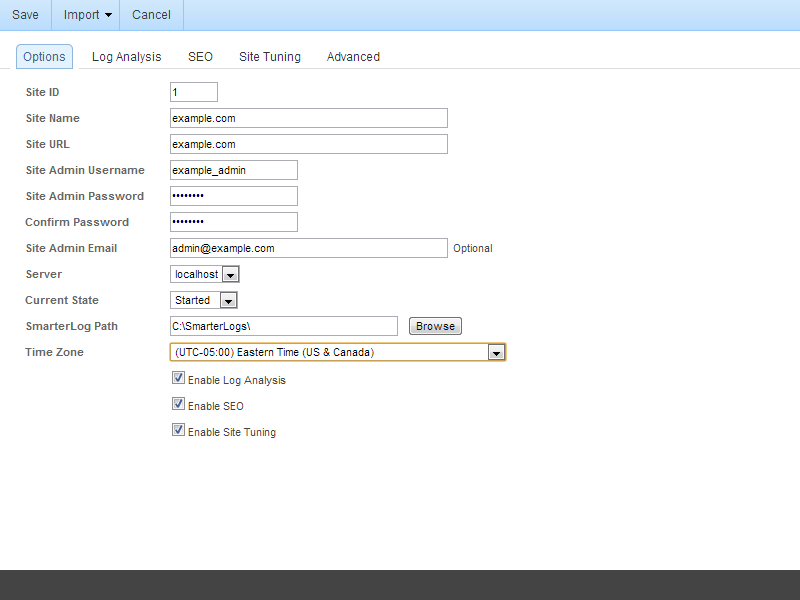
I have filled in an example site and its associated Options below:
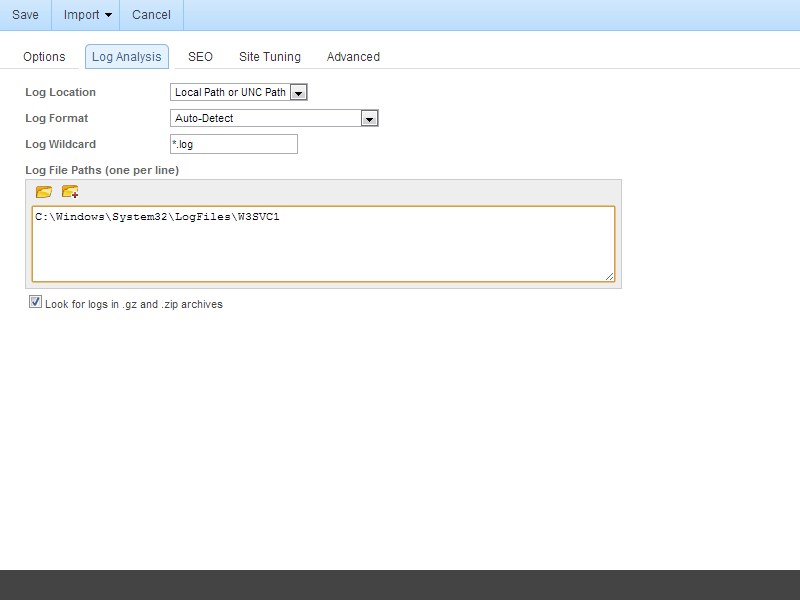
Click on Log Analysis. Here you can tell SmarterStats where the raw logs, and with the below check box, archived logs are located on the Local Machine. If you need to connect to a remote location, you have a few options to you I will review in a separate article. I believe those setup options to be more in depth than the standard setup. In the screen blow, I have set the Log File Paths (one per line) to the default log file location for a site running under IIS.
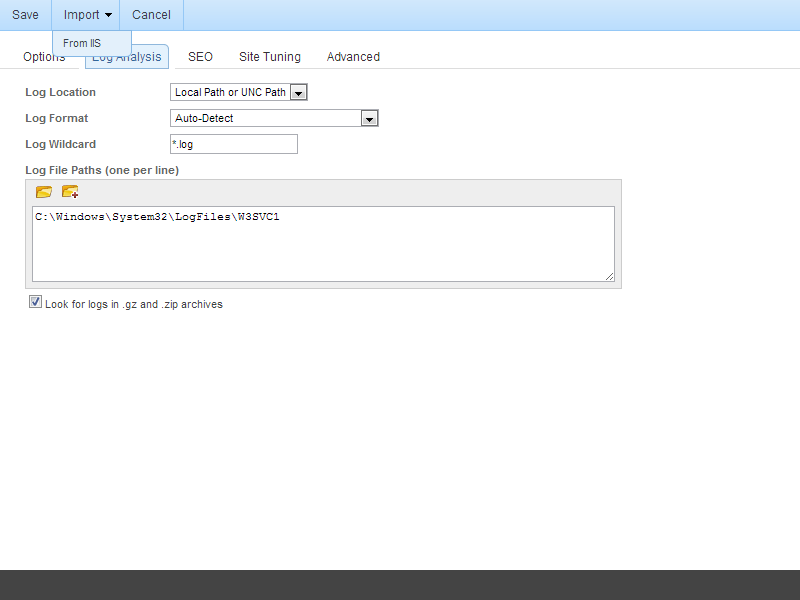
In some cases, you can use the Import > From IIS feature to import this setting. This may be easier for sites hosted on the same server as the SmarterStats application.
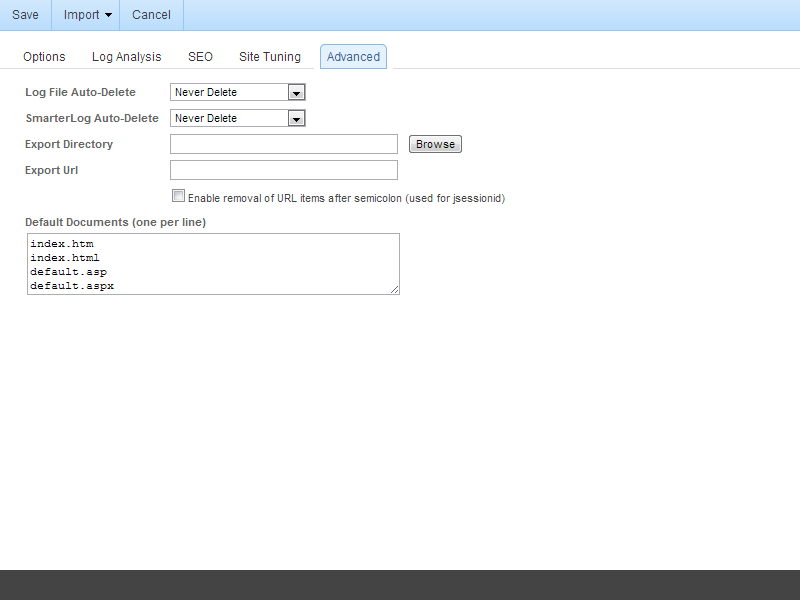
Click on the Advanced tab. I want to note that on this tab you will see the default documents that SmarterStats will be looking for within the logs. This list is rather short, you can expand it from:
index.htm
index.html
default.asp
default.aspx
To:
index.htm
index.html
index.cfm
index.cfmx
index.php
index.cgi
default.htm
default.html
default.cfm
default.cfmx
default.php
default.cgi
Once done on this screen, click Save.
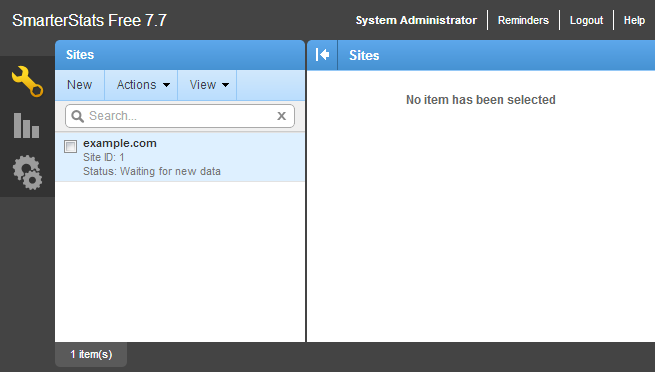
Here is my newly created site, it it does not show any detail in the right hand pane and I believe this to be due to missing log files.
Filed under: Code or Hosting | Comments Off on How to Add a Site within SmarterStats
Posted by Rose Bush on December 6th, 2012
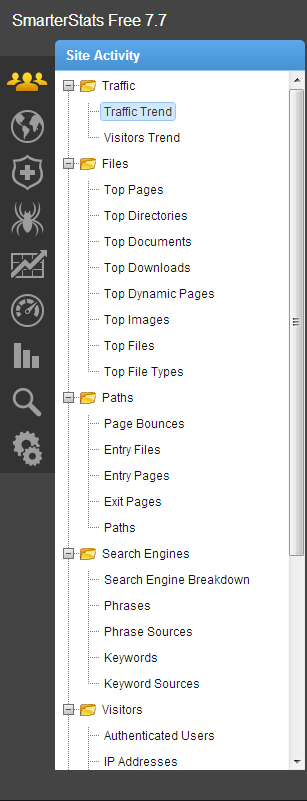
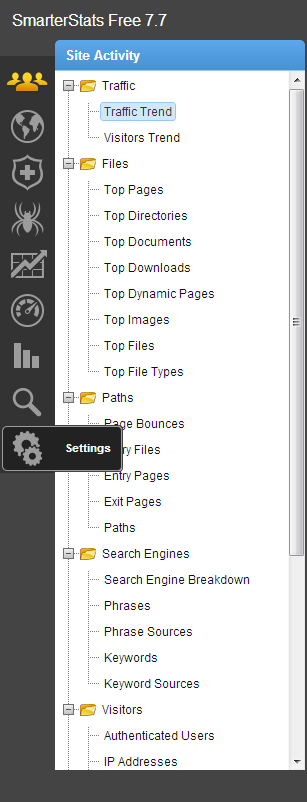
If you wish to add a user to your SmarterStats site, you can perform that action rather simply. This article was written for Version 7.7, but will likely be valid since version 6, or possibly 5. This article is also likely to be valid through version 8, based on the history of the application. Let us start:
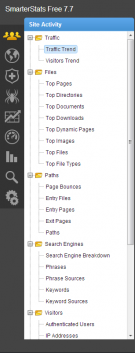
Click on Settings:
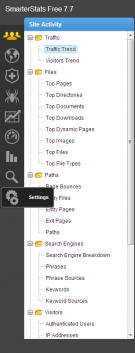
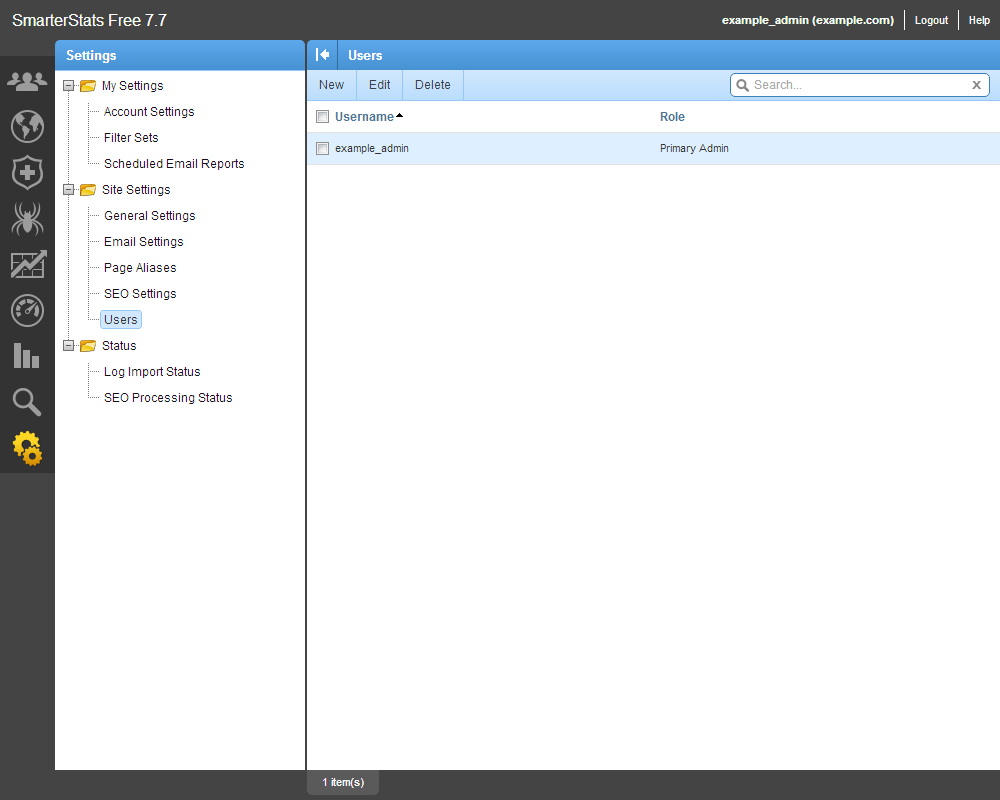
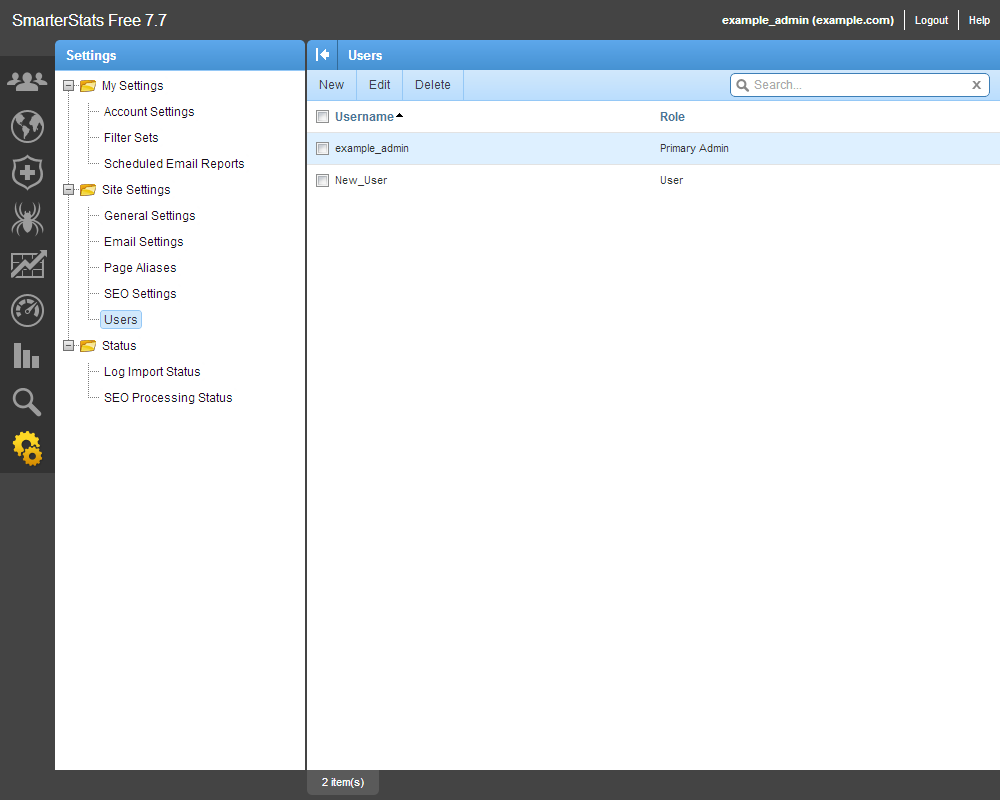
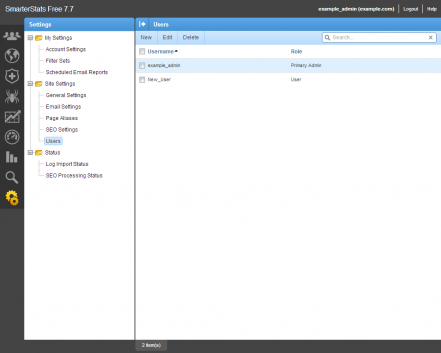
Click on Users, and then click New in the right pane:
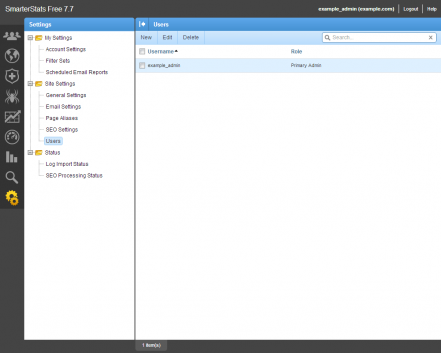
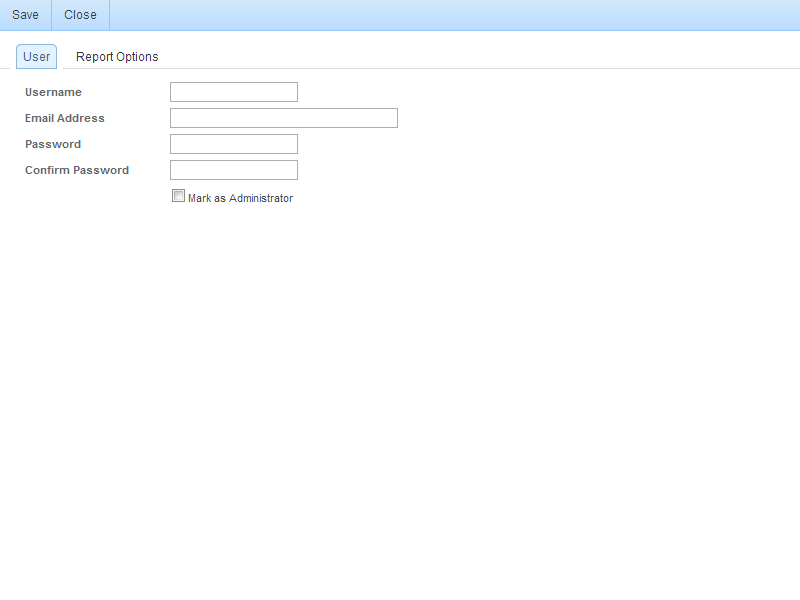
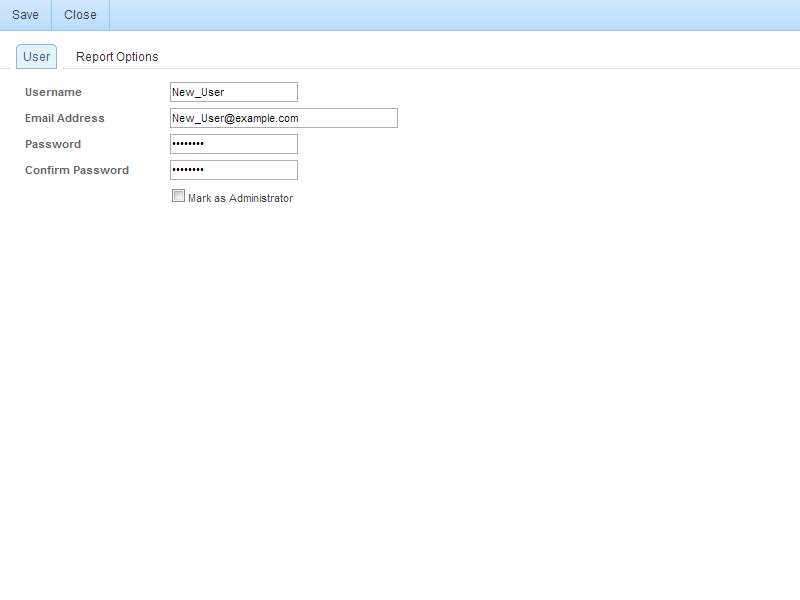
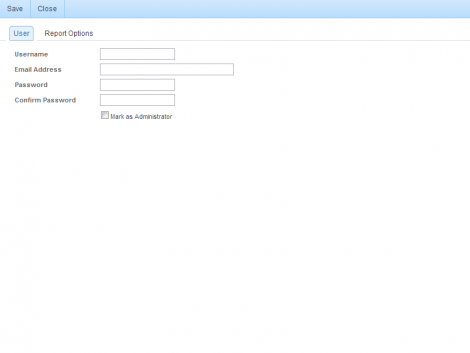
Enter in the details (Username, Email Address, Password, Confirm Password, Mark as Administrator) here:
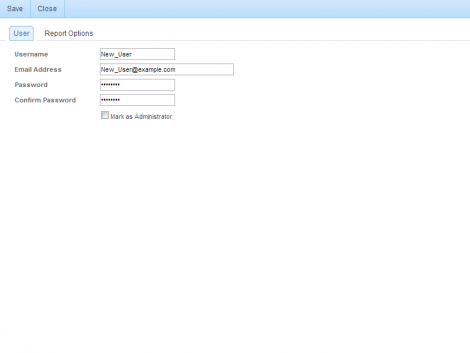
I have entered in some example details below in my setup.
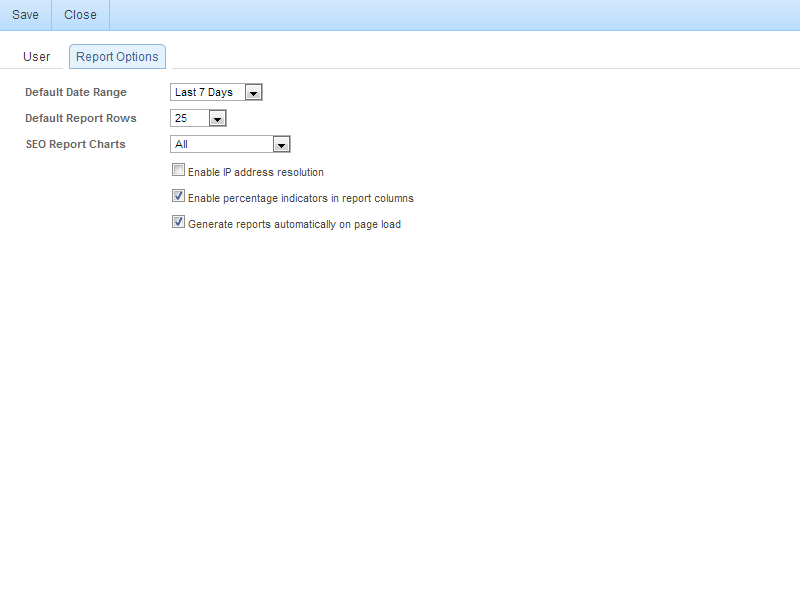
Click on the Report Options tab. The defaults to your installation may differ if they have been altered on the server level for new users. These are the defaults my vanilla (generic) install had. I recommend making sure that the Enable IP address resolution check box is unchecked. This can be rather resource intensive.
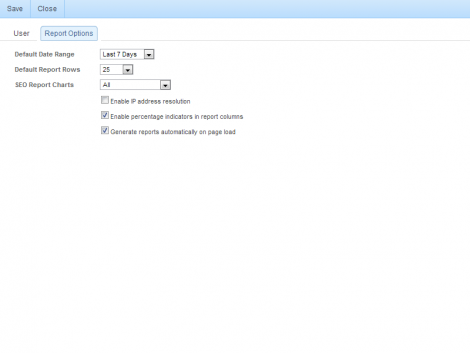
Once done entering the details and settings for the user click the Save button. You are then able to see the new user has been added.
Filed under: Code or Hosting | Comments Off on How to Add a Site Account (User) within SmarterStats