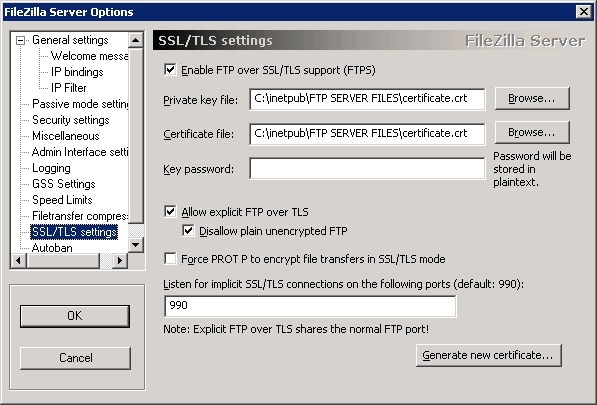
So, I have a default (mostly) install of FileZilla Server:
I can connect just fine using FileZilla Client, but not Cyberduck (originally on a Mac, but I replicated the issue on Windows).
I kept getting this error:
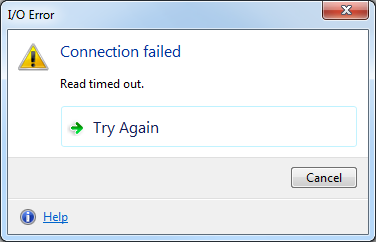
Very useful, obviously, the log on the server only shows this:
(000098)1/7/2013 15:49:37 PM – (not logged in) (127.0.0.1)> Connected, sending welcome message…
(000098)1/7/2013 15:49:37 PM – (not logged in) (127.0.0.1)> disconnected.
My setup was straight forward, for FileZilla:
Host: [remove here in this post]
Port: 990
Protocol: FTP
Encryption: Require implicit FTP over TLS
Username: [remove here in this post]
Password: [remove here in this post]
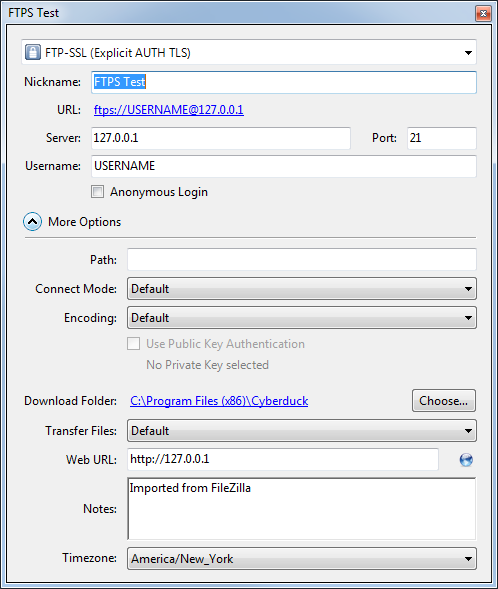
This works, no problem, none. I then imported this site into Cyberduck, and can no longer connect. After messing with settings, I come to find out that for this to work, I had to set the port to 21. That’s it as far as I can tell. Below is a screen shot of the settings screen that worked (outside of obviously changed details). Weird, this is more of a note in case I run into this again.