Is located here: C:\Windows\Media\Windows Notify.wav
Windows 7 Default New Mail Sound
Posted by Rose Bush on January 3rd, 2013
Rose Rates: Extra Dessert Delights Gum
Posted by Rose Bush on December 31st, 2012
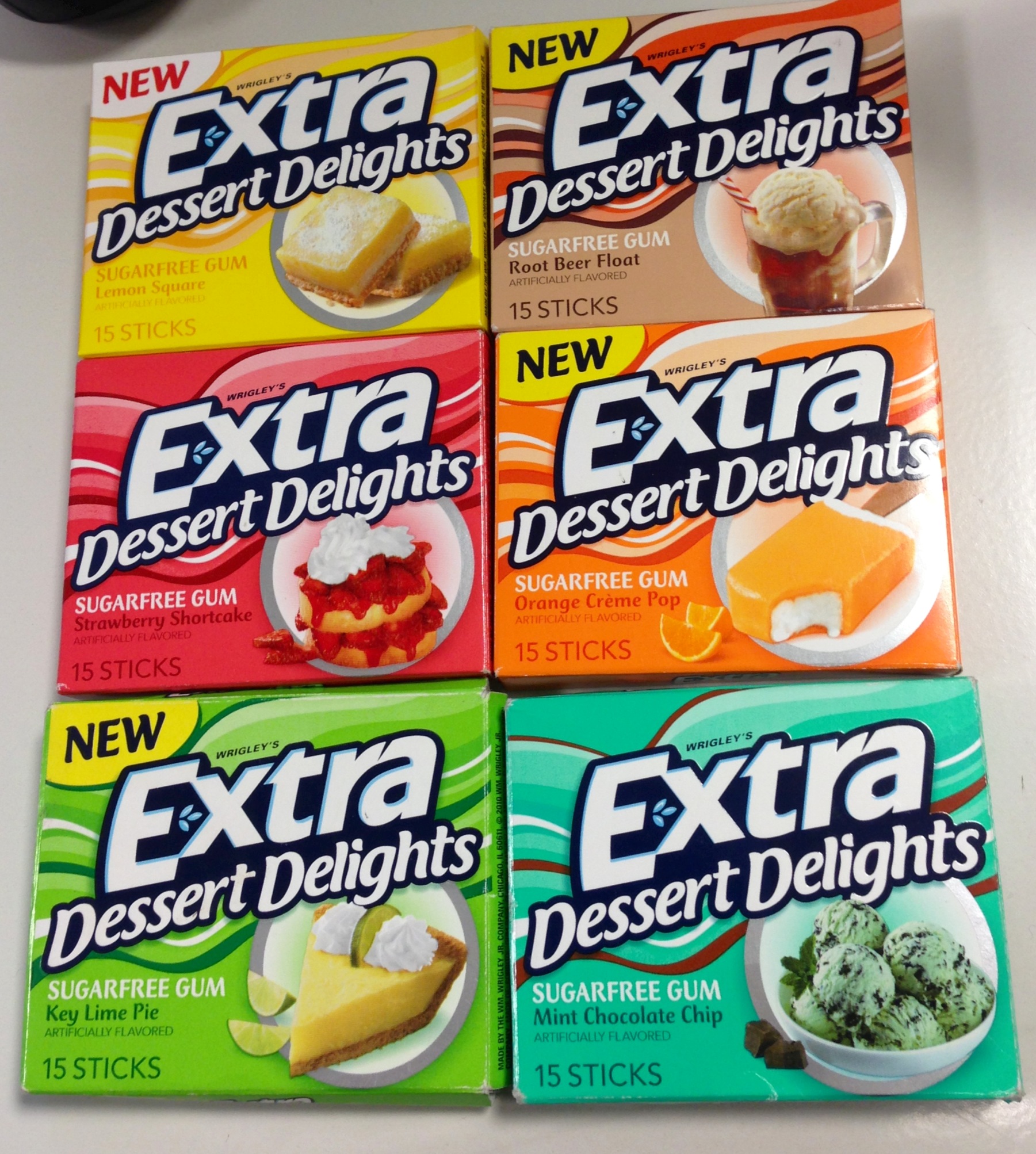
I recently have been made aware of Extra’s new line of gums called Dessert Delights. I have been quite impressed with all of the flavors I have tried thus far:
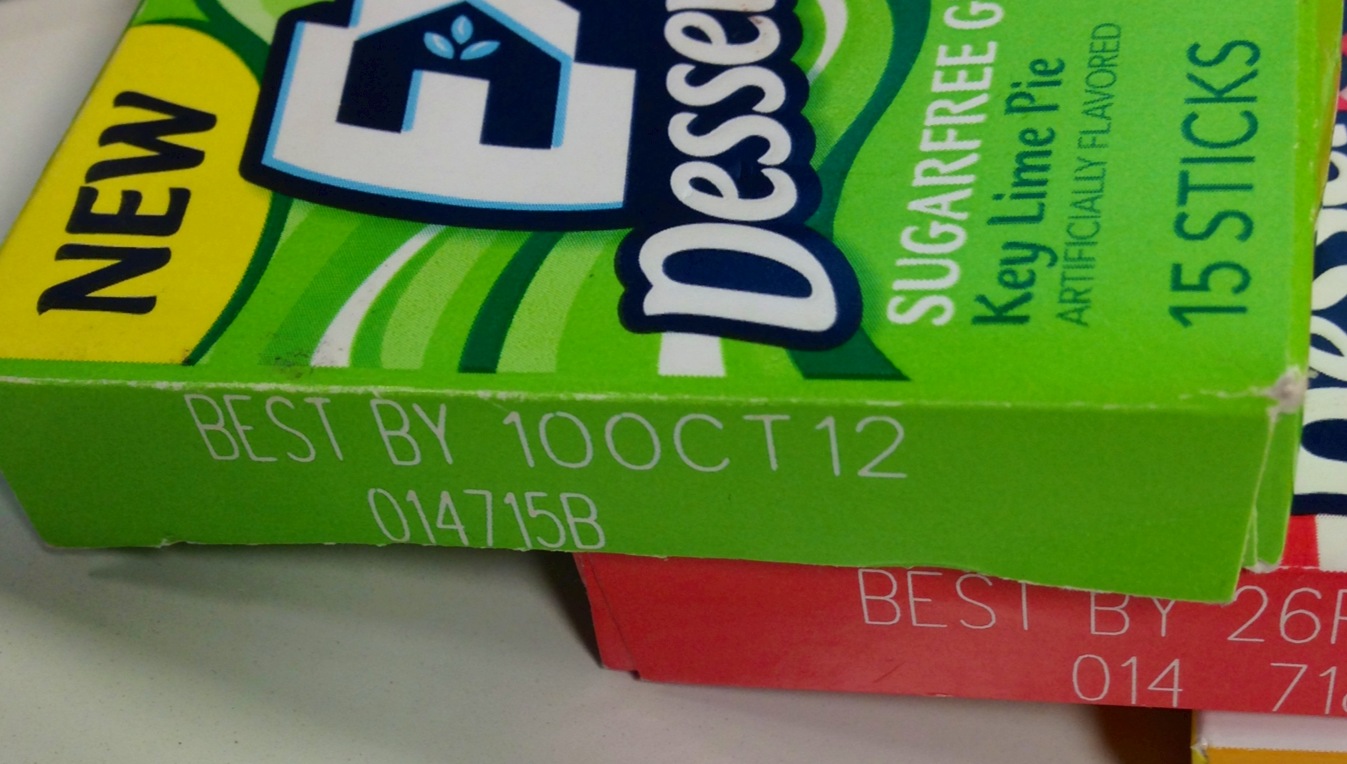
I was a little surprised to find that one of the flavors I had recently purchased as ‘NEW’ expired the month before I purchased it:
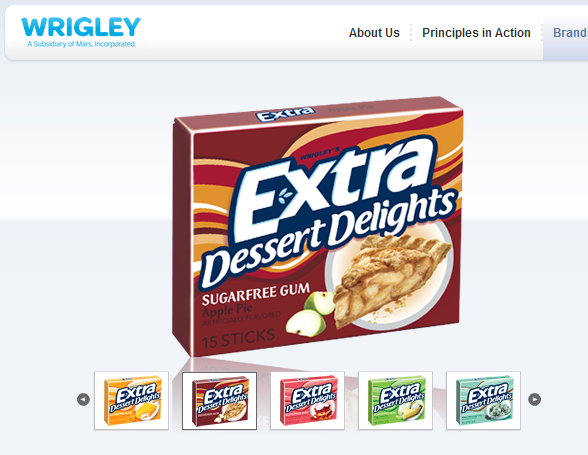
As of today, the website shows a different list than I have here, and does not include two of the flavors I have found:
For the variety as a whole, I rate this 3/3. This gum gets the Rose Bush seal of approval.
Protocol-Less URLs?
Posted by Rose Bush on December 31st, 2012
Ok, I happened upon this recently, and it sort of blew my mind. Section 4.2 of RFC 3986 provides for fully qualified URLs that omit protocol (the HTTP or HTTPS) altogether. When a URL’s protocol is omitted, the browser defaults to the underlying document’s protocol. “Put simply, these “protocol-less” URLs allow a reference like this to work in every browser you’ll try it in:
//ajax.googleapis.com/ajax/libs/jquery/1.4.4/jquery.min.js
I have personally wondered of something like this for a long time. “How do I include links to content I want to load without the secure/insecure message (assuming all content is available securely)?” I would ponder. “the “protocol-less” URL is the best way to reference third party content that’s available via both HTTP and HTTPS. On a page loaded through regular, unencrypted HTTP, script references using that URL will be loaded via HTTP and be cached as normal. Likewise, on a secure page that was loaded via HTTPS, script references targeting that protocol-less URL will automatically load the script from Google’s CDN via HTTPS and avoid the mixed content warning. Thus, using the protocol-less URL allows a single script reference to adapt itself to what’s most optimal: HTTP and it’s full caching support on HTTP pages, and HTTPS on secured pages so that your users aren’t confronted with a mixed content warning.” Originally found here: http://encosia.com/cripple-the-google-cdns-caching-with-a-single-character/.
It still amazes me that this is not well known to the hosting industry. It does however make the usage of CDN with mixed (HTTP/HTTPS) content much easier to utilize, which is also how I last saw this in practice, just days after seeing it was a possibility.
ColdFusion 9.0.1 Update Fails on Windows 2008 Status: ERROR Additional Notes: ERROR – cfmx-patch-move-files-all.xml Failed to copy C:ColdFusion9libcfperfmon_9.dll to C:Windowssystem32cfperfmon_9.dll due to C:Windowssystem32cfperfmon_9.dll (The process cannot access the file because it is being used by another process)
Posted by Rose Bush on December 31st, 2012
On Windows 2008 and 2008 R2, when running the ColdFusion 9.0.1 updater it will fail to complete successfully. Each time failing with the same message in the install log (The Adobe_ColdFusion_9.0.1_InstallLog.log is not written to until the upgrade installer is closed. As long as it is still open, it has not written to the log file. The default location of the log file is C:\ColdFusion9.):
ANT Script Error:
|
1 2 |
Status: ERROR Additional Notes: ERROR - cfmx-patch-move-files-all.xmlFailed to copy C:ColdFusion9libcfperfmon_9.dll to C:Windowssystem32cfperfmon_9.dll due to C:Windowssystem32cfperfmon_9.dll (The process cannot access the file because it is being used by another process) |
Rename the dll while ColdFusion is stopped and retry the Upgrade. It should complete successfully this try. On a side note, I find it supremely easier to run the upgrade AS SOON AS you complete the installation of ColdFusion 9 if at all possible, otherwise, just install 9.0.1 (I think there is an actual installer for that version). There is a ColdFusion® 9.0 Update 2 package which seems to be a better choice as of current. Thanks goes to CFExecute for a bulk of this post.
Determine version of ColdFusion
Posted by Rose Bush on December 31st, 2012
Determining the version of ColdFusion can be a task you need to perform from time to time, to find out the version, create a page on the site with the following content:
|
1 |
<cfdump var="#SERVER#" /> |
As far as I can tell, there is not a simpler way of obtaining version without access to the ColdFusion Administrator Interface.
Creating the ColdFusion Client Variable Storage Database and Tables within MySQL
Posted by Rose Bush on December 31st, 2012
ColdFusion does not create the proper tables for client variable storage when using MySQL as the database engine. This is valid in ColdFusion 9 and also still present in ColdFusion 10. These tables should be created manually for client variable storage to function.
Two tables are required. CDATA and CGLOBAL. Details about theses tables are as follows:
The CDATA table must have the following columns:
Column | Data type
cfid | CHAR(64), TEXT, VARCHAR, or any data type capable of taking variable length strings up to 64 characters
app | CHAR(64), TEXT, VARCHAR, or any data type capable of taking variable length strings up to 64 characters
data | MEMO, LONGTEXT, LONG VARCHAR, CLOB, or any data type capable of taking long, indeterminate-length strings
The CGLOBAL table must have the following columns:
Column | Data type
cfid | CHAR(64), TEXT, VARCHAR, or any data type capable of taking variable length strings up to 64 characters
data | MEMO, LONGTEXT, LONG VARCHAR, CLOB, or any data type capable of taking long, indeterminate-length strings
lvisit | TIMESTAMP, DATETIME, DATE, or any data type that stores date and time values
If the database has not yet been created, you can create the database and tables with this:
|
1 2 3 4 5 6 7 8 9 10 11 12 13 14 15 16 17 18 19 |
CREATE DATABASE %cfvars_db_name%; USE %cfvars_db_name%; /*Table structure for table cdata */ DROP TABLE IF EXISTS cdata; CREATE TABLE cdata ( cfid char(64) NOT NULL, app char(64) NOT NULL, data text, UNIQUE KEY id1 (cfid,app) ) ENGINE=InnoDB DEFAULT CHARSET=utf8; /*Table structure for table cglobal */ DROP TABLE IF EXISTS cglobal; CREATE TABLE cglobal ( cfid char(64) NOT NULL, data text, lvisit datetime NOT NULL, KEY id2 (cfid), KEY id3 (lvisit) ) ENGINE=InnoDB DEFAULT CHARSET=utf8; |
To create the tables, the following queries can be used (this is if you have already created the database and have an appropriately privileged user that is able to access the database):
|
1 2 3 4 5 6 7 8 9 10 11 12 13 |
CREATE TABLE cdata ( cfid varchar(64) NOT NULL default '', app varchar(64) NOT NULL default '', data longtext NOT NULL, PRIMARY KEY (cfid,app) ); CREATE TABLE cglobal ( cfid varchar(64) NOT NULL default '', data longtext NOT NULL, lvisit timestamp, KEY cfid (cfid), KEY lvisit (lvisit) ); |
com.mysql.jdbc.exceptions.jdbc4.MySQLNonTransientConnectionException: Could not create connection to database server. Attempted reconnect 3 times. Giving up. The root cause was that: com.mysql.jdbc.exceptions.jdbc4.MySQLNonTransientConnectionException: Could not create connection to database server. Attempted reconnect 3 times. Giving up.
Posted by Rose Bush on December 27th, 2012
com.mysql.jdbc.exceptions.jdbc4.MySQLNonTransientConnectionException: Could not create connection to database server. Attempted reconnect 3 times. Giving up.
The root cause was that: com.mysql.jdbc.exceptions.jdbc4.MySQLNonTransientConnectionException: Could not create connection to database server. Attempted reconnect 3 times. Giving up.
CF can not open a TCP socket to the database server. Check that the database server is actually running, listening on port 3306 and not locked by a firewall.
ColdFusion CFIDE Folder
Posted by Rose Bush on December 27th, 2012
System Information
Server Details
Server Product ColdFusion
Version 9,0,2,282541
Edition Standard
Serial Number XXXXXXXXXXXXXXXXXXXX
Operating System UNIX
OS Version 2.6.32-279.11.1.el6.x86_64
Adobe Driver Version 4.1 (Build 0001)
JVM Details
Java Version 1.6.0_29
Java Vendor Sun Microsystems Inc.
Java Vendor URL http://java.sun.com/
Java Home /opt/coldfusion9/runtime/jre
Java File Encoding UTF8
Java Default Locale en_US
File Separator /
Path Separator :
Line Separator Chr(10)
User Name nobody
User Home /
User Dir /opt/coldfusion9/runtime/bin
Java VM Specification Version 1.0
Java VM Specification Vendor Sun Microsystems Inc.
Java VM Specification Name Java Virtual Machine Specification
Java VM Version 20.4-b02
Java VM Vendor Sun Microsystems Inc.
Java VM Name Java HotSpot(TM) 64-Bit Server VM
Java Specification Version 1.6
Java Specification Vendor Sun Microsystems Inc.
Java Specification Name Java Platform API Specification
Java Class Version 50.0
Can be downloaded here
A Fire Massage
Posted by Rose Bush on December 21st, 2012
In the following video, I get my second fire massage. They feel amazing, to me. I have had friends go through them and enjoy them as well as others that say it is too painful for them. A friend of a friend once asked for them to ‘make it hurt’ and came away with what they asked for.
httpvh://www.youtube.com/watch?v=70LHbEhVyvo
Easy Admin Color Schemes Causes Transparent Sub Menus Since Upgrade to WordPress 3.5
Posted by Rose Bush on December 19th, 2012
I saw someone upgrade their WordPress install to 3.5 and run into an issue where the background on menu sub menus would be transparent. Turns out the fix was rather simple. Go to Admin Color Schemes -> All Admin Color Schemes. Edit under the scheme of your choice, and add the following CSS in an appropriate place (nested properly)
|
1 2 3 |
.wp-submenu { background-color: #FFF } |
This fix comes thanks to philoj of the wordpress.org forum post on this issue.
Copyright © 2026 Edventures in Normalcy. All rights reserved.