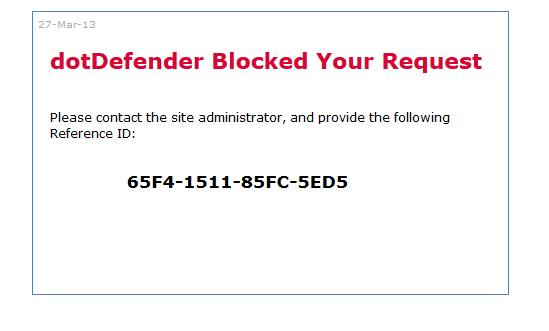
After a recent installation of dotDefender, the following error came up:
“Internal Server Error
500
No response from subprocess (/usr/local/cpanel/whostmgr/docroot/cgi/addon_dotDefender.cgi): The subprocess exited with statu s 2 (ENOENT).”
The log file for dotDefender, /usr/local/APPCure-full/log/dotDefender_bpd.log, gives further detail:
1 2 3 4 5 6 7 8 9 10 11 12 13 14 15 16 17 18 19 |
Can't locate Crypt/Passwd/XS.pm in @INC (@INC contains: /usr/local/cpanel /usr/local/cpanel /usr/local/lib64/perl5 /usr/local/share/perl5 /usr/lib64/perl5/vendor_perl /usr/share/perl5/vendor_perl /usr/lib64/per l5 /usr/share/perl5 .) at /usr/local/cpanel/Cpanel/CheckPass/AP.pm line 15. BEGIN failed--compilation aborted at /usr/local/cpanel/Cpanel/CheckPass/AP.pm line 15. Compilation failed in require at /usr/local/cpanel/Cpanel/CheckPass.pm line 8. BEGIN failed--compilation aborted at /usr/local/cpanel/Cpanel/CheckPass.pm line 8. Compilation failed in require at /usr/local/cpanel/whostmgr/docroot/cgi/addon_dotDefender.cgi line 13. BEGIN failed--compilation aborted at /usr/local/cpanel/whostmgr/docroot/cgi/addon_dotDefender.cgi line 13. Duplicate logaccess: at /usr/local/cpanel/Cpanel/Server.pm line 421. Cpanel::Server::logaccess(Cpanel::Server=HASH(0x3224a68)) called at /usr/local/cpanel/Cpanel/Server.pm line 365 Cpanel::Server::body_internal_error(Cpanel::Server=HASH(0x3224a68), 500, "No response from subprocess (/usr/local/cpanel/whostmgr/docro"...) called at /usr/local/cpanel/Cpanel/Server.pm line 313 Cpanel::Server::internal_error(Cpanel::Server=HASH(0x3224a68), "No response from subprocess (/usr/local/cpanel/whostmgr/docro"...) called at cpsrvd.pl line 6052 cpanel::cpsrvd::internal_error("No response from subprocess (/usr/local/cpanel/whostmgr/docro"...) called at cpsrvd.pl line 9144 cpanel::cpsrvd::handle_subprocess_failure(3, undef, 0, "No response from subprocess (/usr/local/cpanel/whostmgr/docro"...) called at cpsrvd.pl line 7268 cpanel::cpsrvd::subprocess_handler(__CPANEL_HIDDEN__, IO::Handle=GLOB(0x32273b8), GLOB(0x3227370), 0) called at cpsrvd.pl line 7121 cpanel::cpsrvd::cgiHandler(__CPANEL_HIDDEN__, __CPANEL_HIDDEN__) called at cpsrvd.pl line 6506 cpanel::cpsrvd::dodoc_whostmgrd() called at cpsrvd.pl line 1882 cpanel::cpsrvd::dodoc(HASH(0x213f9d0)) called at cpsrvd.pl line 1446 cpanel::cpsrvd::handle_one_connection() called at cpsrvd.pl line 1073 cpanel::cpsrvd::script() called at cpsrvd.pl line 437 Internal Server Error: "GET /cpsess8754229775/cgi/addon_dotDefender.cgi HTTP/1.1" 500 No response from subprocess (/usr/local/cpanel/whostmgr/docroot/cgi/addon_dotDefender.cgi): The subprocess exited with statu s 2 (ENOENT). |
The fix was to install Crypt::Passwd::XS as such:
|
|
/scripts/perlinstaller Crypt::Passwd::XS |
Update 1-29-2016
This error popped up again, and seemingly coincided to an upgrade in cPanel. The upgraded version is WHM 54.0 (build 8). The error was almost identical to the one above, but instead of outputting the error to the dotDefender log, it was going to the cPanel log (/usr/local/cpanel/logs/error_log) as such:
~
Can’t locate cPanel/PublicAPI.pm in @INC (@INC contains: /usr/local/cpanel /usr/local/lib64/perl5 /usr/local/share/perl5 /usr/lib64/perl5/vendor_perl /usr/share/perl5/vendor_perl /usr/lib64/perl5 /usr/share/perl5 .) at /usr/local/cpanel/Cpanel/Accounting.pm line 32.
BEGIN failed–compilation aborted at /usr/local/cpanel/Cpanel/Accounting.pm line 32.
Compilation failed in require at /usr/local/cpanel/whostmgr/docroot/cgi/addon_dotDefender.cgi line 5.
BEGIN failed–compilation aborted at /usr/local/cpanel/whostmgr/docroot/cgi/addon_dotDefender.cgi line 5.
[2016-01-28 17:35:38 -0500] info [cpsrvd] Internal Server Error: “GET /cpsess122967374/cgi/addon_dotDefender.cgi HTTP/1.1” 500 No response from subprocess (/usr/local/cpanel/whostmgr/docroot/cgi/addon_dotDefender.cgi): The subprocess reported error number 2 when it ended.
~~
Speaking with cPanel support,
This should be fixed. After further review we didn’t acutally rename all of these packages, it looks to maybe only be some API calls rather than the package. This was failing because the following file was modified.
[21:37:25 cp root@7449479 ~]cPs# head /usr/local/cpanel/Cpanel/Accounting.pm
ypackage cPanel::Accounting;
It should have been this looking at another server.
[21:40:42 cp root@7449479 ~]cPs# head Accounting.pm package Cpanel::Accounting;
Once I corrected that I could load the page. I did have a token error and had to login and then got an access error but I believe as root you should have no issue now.
~~~
The updated file correcting the issue is below:
1 2 3 4 5 6 7 8 9 10 11 12 13 14 15 16 17 18 19 20 21 22 23 24 25 26 27 28 29 30 31 32 33 34 35 36 37 38 39 40 41 42 |
#!/usr/local/APPCure/bin/PERL #WHMADDON:dotDefender:Applicure dotDefender use lib '/usr/local/cpanel'; #use lib '//usr/local/cpanel/3rdparty/perl/514/lib64/perl5/cpanel_lib'; use Cpanel::Accounting; use Cpanel::AcctUtils (); use Cpanel::Rand (); use Cpanel::Config::LoadCpUserFile (); use Cpanel::Hulk (); use Cpanel::AccessIds::SetUids (); use Cpanel::CheckPass (); use Cpanel::AcctUtils::DomainOwner (); use Cpanel::AcctUtils::GetHomeDir (); my $cphulk = Cpanel::Hulk->new; my $my_domain = Cpanel::AcctUtils::getdomain($ENV{'REMOTE_USER'}); if ( $ENV{'REMOTE_USER'} eq 'root' ) { $FileName="/cgi/dotDefender/dotDefender/dotDefender.html"; } else { $FileName="/cgi/dotDefender/not-root/not-root.html"; } print <<EOF_DD Content-Type: text/html\r\n\r <html> <body> <form name="redirect" action="$FileName" method="post" > <input type="hidden" value="dummy" name="dummy"> </form> <script language="javascript"> document.redirect.submit(); </script> </body> </html> EOF_DD |