Edventures in Normalcy

When going to http://127.0.0.1:8086/login.aspx?ReturnUrl=%2fInterface%2fDefault.aspx:
I would receive the following error:

The file ‘/Skins/B9106EEE-DB03-489D-A19D-8647A55EC15C/control/login_3.ascx’ does not exist.
Source:
WHA.Helm.ControlPanel.dll /login.aspx Page_Load
Stack Trace:
at System.Web.UI.Util.CheckVirtualFileExists(VirtualPath virtualPath) at System.Web.Compilation.BuildManager.GetVPathBuildResultInternal(VirtualPath virtualPath, Boolean noBuild, Boolean allowCrossApp, Boolean allowBuildInPrecompile) at System.Web.Compilation.BuildManager.GetVPathBuildResultWithNoAssert(HttpContext context, VirtualPath virtualPath, Boolean noBuild, Boolean allowCrossApp, Boolean allowBuildInPrecompile) at System.Web.Compilation.BuildManager.GetVPathBuildResult(HttpContext context, VirtualPath virtualPath, Boolean noBuild, Boolean allowCrossApp, Boolean allowBuildInPrecompile) at System.Web.UI.TemplateControl.LoadControl(VirtualPath virtualPath) at System.Web.UI.TemplateControl.LoadControl(String virtualPath) at WHA.Helm.ControlPanel.loginpage.Page_Load(Object sender, EventArgs e)
Probing Paths:
C:\Program Files\Parallels\Helm4\ControlPanel\bin


This error was resolved by installing the Skins (Helm Configuration Tool -> Installed Modules -> select the ones under Control Panel Skins).

Prop. 8: Gay-marriage ban unconstitutional, court rules

Posted by Rose Bush on February 7th, 2012

Anything less than 100% equality for all persons is unconstitutional and inhuman. As a society, we need to come together based on our similarities rather than find ways to separate ourselves based on differences.  I hope and KNOW that this ruling will lead us to the path that takes down DOMA.

Sonic Trololo

Posted by Rose Bush on November 11th, 2011

httpv://www.youtube.com/watch?v=ehUu2hPMMWI

Exhumed Films’ fifth annual 24 Hour Horror-Thon, but my first

Posted by Rose Bush on November 9th, 2011

1. Psychomania (1973) The Death Wheelers
2. Rodan (1956)
3. Frightmare (1983)
4. Henry: Portrait of a Serial Killer (1986)
5. The Dead (2010)
6. Trick or Treat (1986)
7. Night Warning (1983)
8. Frankenhooker (1990)
9. Dr. Black, Mr. Hyde (1976)
10. Werewolf Woman (1976)
11. Blood Diner (1987)
12. The Burning (1981)
13. Maximum Overdrive (1986)
14. Meet the Feebles (1989)


I want to thank Cinedelphia for supplying the above movie list, originally found here, and I would also like to thank Exhumed Films for supplying a fantastic opportunity in film to viewers such as myself.

I’m a Dollar Menu Guy animated gif

Posted by Rose Bush on November 8th, 2011

Installing Miva Merchant Empresa on Windows 2003 x64

Posted by Rose Bush on October 7th, 2011

Install Microsoft Visual C++ 2008 SP1 Redistributable Package (x86)

  • This is a requirement for the next item.
  • The installer can be found here.
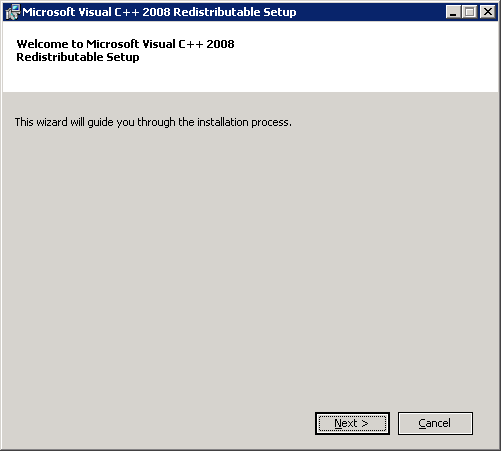
  1. Initiate the installer, click Nextat the first screen.
    MVcPP2k8SP1RP 1.png
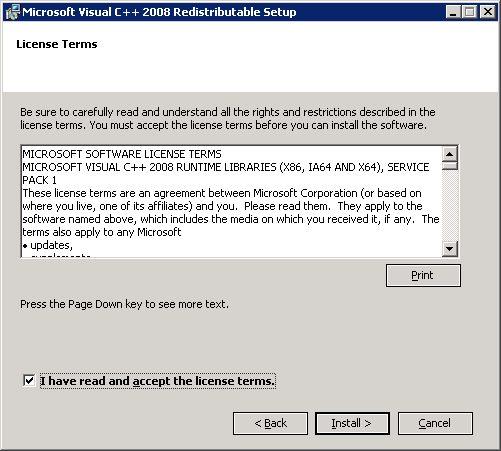
  2. Click the select box for I have read and accept the license terms. and then click Install >.
  3. MVcPP2k8SP1RP 2.png
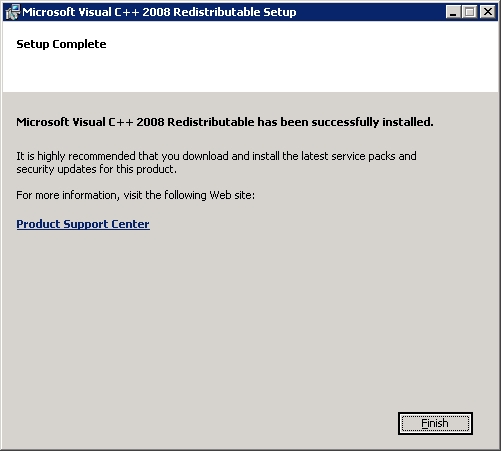
  4. Click Finish.
    MVcPP2k8SP1RP 3.png

Install OpenSSL

  1. Download the installer from here.
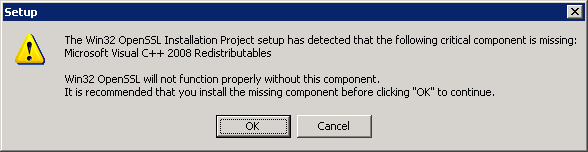
  2. Initiate the installer, click OK if you see this screen
    Openssl2k3 1.png
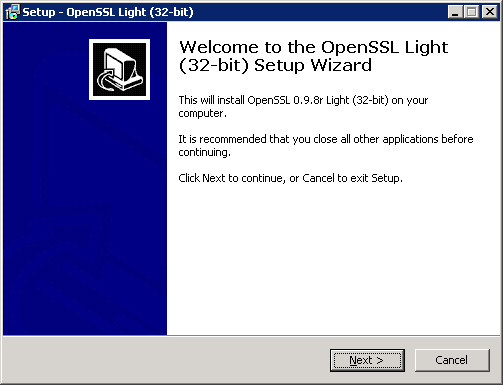
  3. Click Next >.
    Openssl2k3 2.png
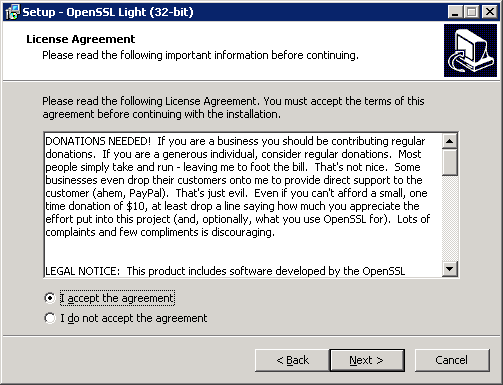
  4. Select the radio for I accept the agreement and click Next >.
    Openssl2k3 3.png
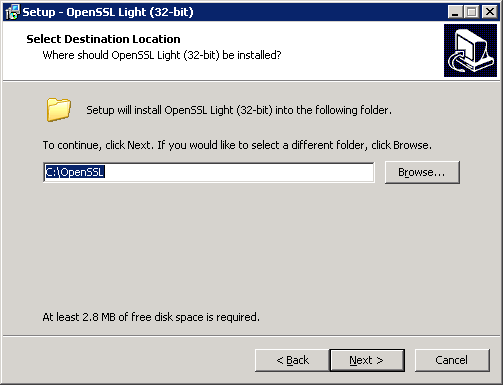
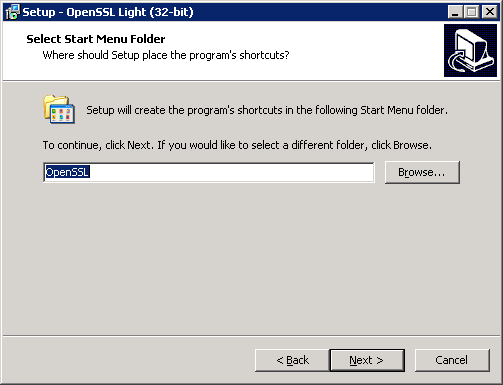
  5. Click Next >.
    Openssl2k3 4.png
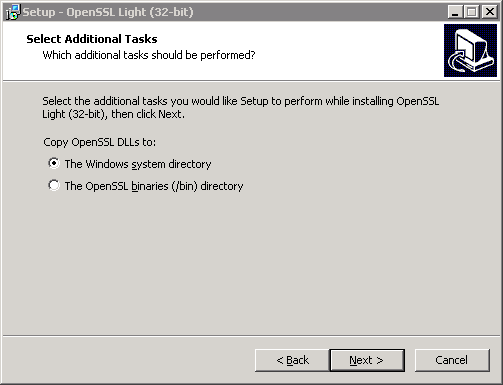
  6. Click Next >.
    Openssl2k3 5.png
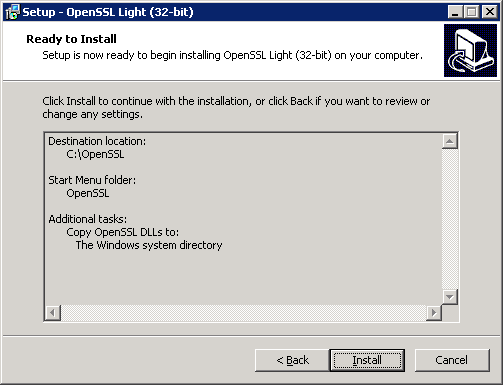
  7. Click Next >.
    Openssl2k3 6.png
  8. Click Install.
    Openssl2k3 7.png
  9. Choose a donation option right for you and click Finish.
    Openssl2k3 8.png
  10. Once installation has completed, it places the dll’s in the following places:
    C:\WINDOWS\system32\libeay32.dll
    C:\WINDOWS\system32\ssleay32.dll

Install the Miva Merchant Empresa engine

  1. Download the latest installation from here.
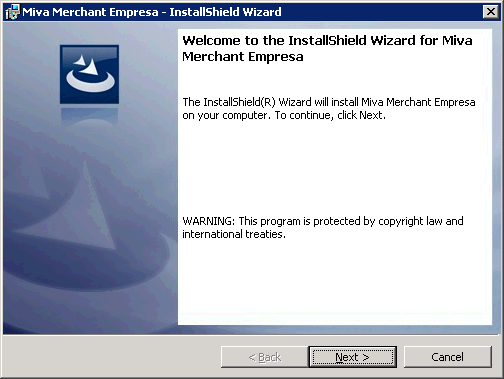
  2. Initiate the installer, click Next >.
    MivaMerchantEmpressa2k3Install513_01
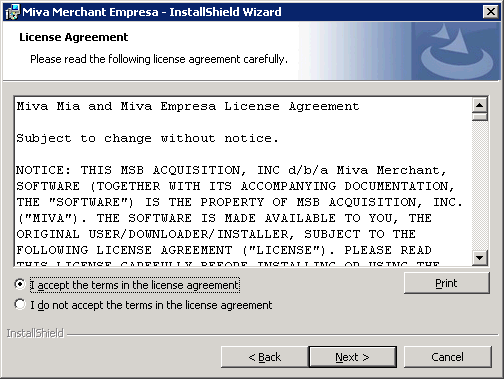
  3. Select the radio for I accept the terms in the license agreement and click Next >.
    MivaMerchantEmpressa2k3Install513_02
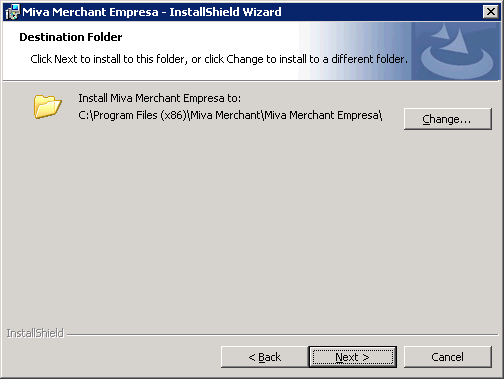
  4. Click Next >.
    MivaMerchantEmpressa2k3Install513_03
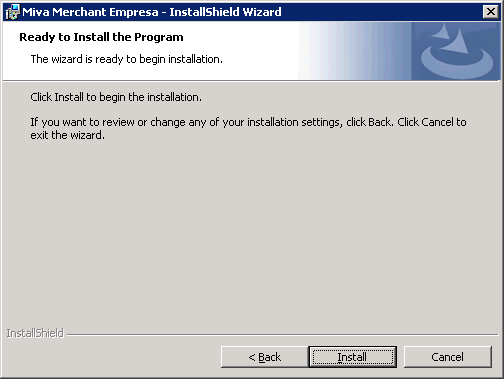
  5. Click Install.
    MivaMerchantEmpressa2k3Install513_04
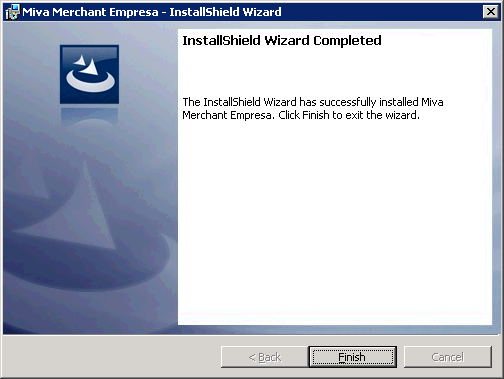
  6. Click Finish.
    MivaMerchantEmpressa2k3Install513_05


Install GD

  1. Download the latest gd-latest-win32.zip from here. I personally had to obtain the zip using archive.org, in which you can download the same file as I have saved it here.
  2. Create a new folder within the Miva Merchant Empresa installation directory and name the Folder SYSTEM. You should then have one of the following paths
    Or:
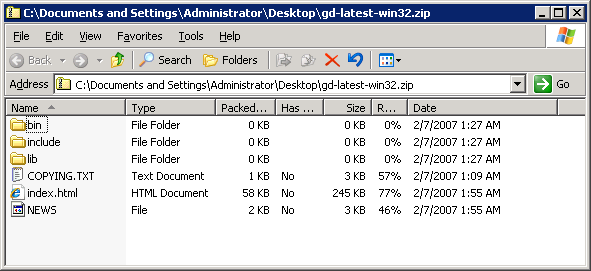
  3. Open up the gd-latest-win32.zip file.
    MME2k3GD_01
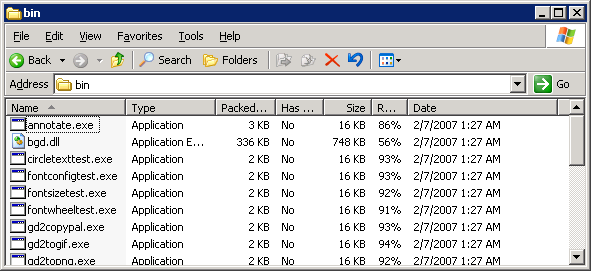
  4. Inside of the bin folder you will find a file bgd.dll.
    MME2k3GD_02
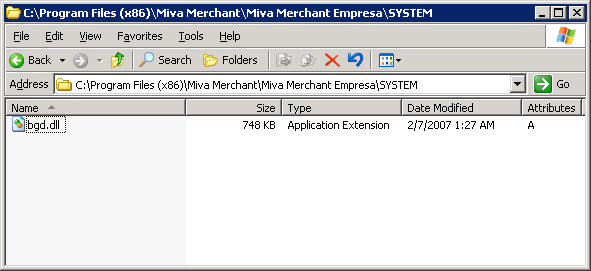
  5. Copy this file to the SYSTEM folder we created earlier.
    MME2k3GD_03
  6. Grant IUSR read access to this dll.


Configure IIS for the Empresa Engine

  • First off, if this is a 64bit version of IIS6, it needs to be run in 32 bit mode in order for Miva Merchant Empresa settings to show. To load IIS in 32 bit mode, put a shortcut on the desktop, edit the shortcut adding ‘ /32’ to the end of the path, causing the path to end up being:

  • Also, you will want to configure IIS to run 32 bit applications. To do this, run the following command:


IIS Web Server Extension

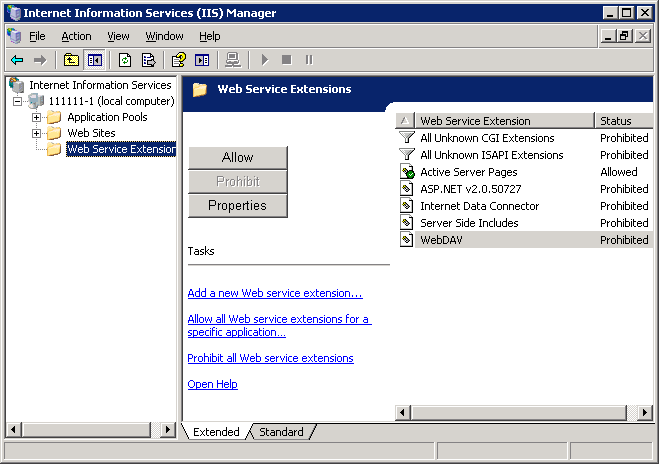
  1. Open IIS and select Web Service Extensions.
    MME2k3IISWSE_01
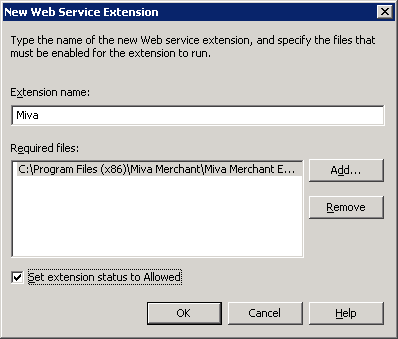
  2. Click Add a New Web Service Extension and enter the requested information:
    • Extension Name: Miva
    • Required Files:C:\Program Files\Miva Merchant\Miva Merchant Empresa\MivaVMIIS.dll
      Or for x64 Required Files: C:\Program Files (x86)\Miva Merchant\Miva Merchant Empresa\MivaVMIIS.dll
    • Check Set Extension Status to Allowed
    MME2k3IISWSE_02
  3. Click Ok.


IIS Mapping for .mvc

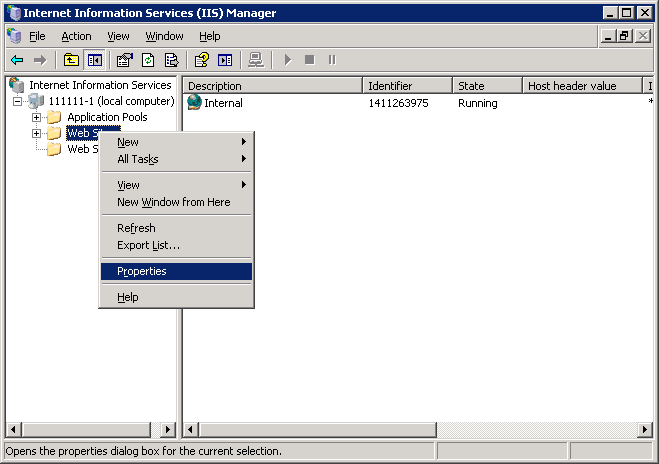
  1. Open IIS, right-click Websites and select Properties.
    MME2k3IISmap_01
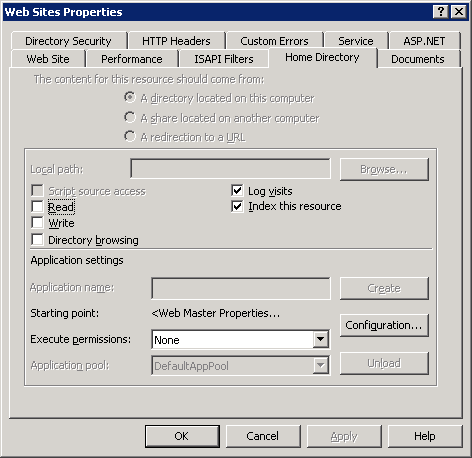
  2. Click on the Home Directory tab and then click Configuration.
    MME2k3IISmap_02
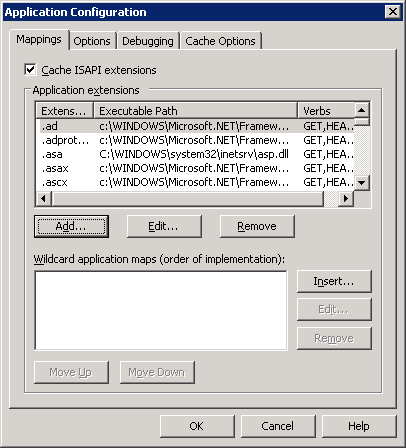
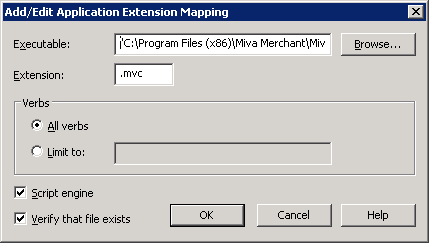
  3. On the Mappings tab, click Add.
    MME2k3IISmap_03
  4. Enter the requested information:
    • Executable:C:\Program Files\Miva Merchant\Miva Merchant Empresa\MivaVMIIS.dll
      Or for x64 Executable:“C:\Program Files (x86)\Miva Merchant\Miva Merchant Empresa\MivaVMIIS.dll”

      • Remember to include the double quotes
    • Extension Type: .mvc
    • Leave the other options as the defaults
    MME2k3IISmap_04
  5. Click OK.
  6. I recommend checking a website to ensure the mapping has propagated throughout the website tree.


ISAPI Filters for x64 based OS’s

  • Since IIS will be running essentially in 32 bit mode, we need to make sure that other entities, such as .NET 2.0 are set to run the 32 bit versions as well.
  1. Open IIS, right-click Websites and select Properties.
    MME2k3IISmap_01
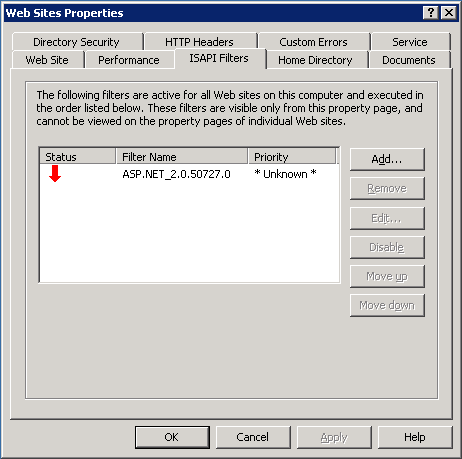
  2. Click on the ISAPI Filters tab.
    MME2k3IISisapi_01
  3. Select ASP.NET_2.0.50727.0 and click Edit….
    MME2k3IISisapi_02
  4. For anything .NET, you can update the Executable field replacing “Framework64” with just “Framework”, keeping the rest of the field intact. Click OK. Click OK.


Miva VM Settings

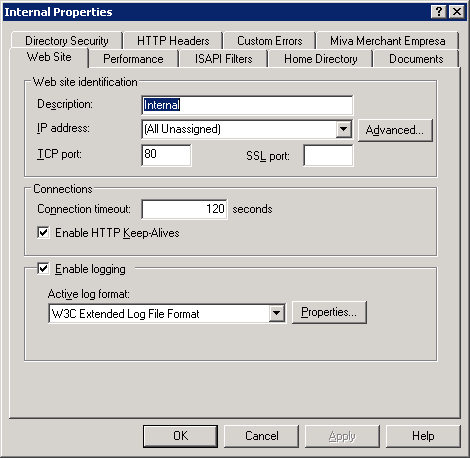
  1. Open the site in question within IIS, right-click the site, and choose Properties.
    MME2k3IISvmsettings_01
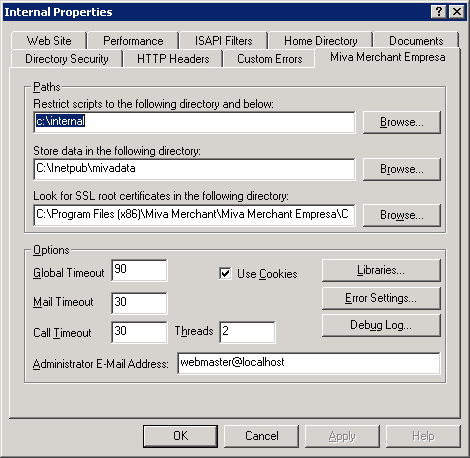
  2. Choose the Miva Merchant Empresa tab.
    MME2k3IISvmsettings_02
  3. Enter the requested information:
    • Restrict scripts to the following directory and below:
      This will be the same as the Home Directory
    • Store data in the following directory:
      In my case, this is usually be the same as the Home Directory, but in C:\MivaData\subfolderName
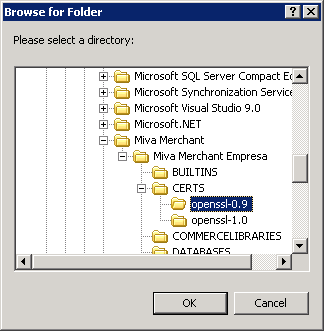
  4. Click Browse for the Look for SSL root certificates in the following directory: setting.
  5. Make sure you are using the openssl-0.9 directory because we installed OpenSSL 0.9 and not version one.
    MME2k3IISvmsettings_11
  6. Click OK.

Commerce and System Libraries

  1. There are a total of 3 main Commerce libraries (LinkPoint, AuthorizeNet, and CyberCash). AuthorizeNet and CyberCash can be obtained elsewhere while LinkPoint was included in the Miva Merchant Empresa installer.
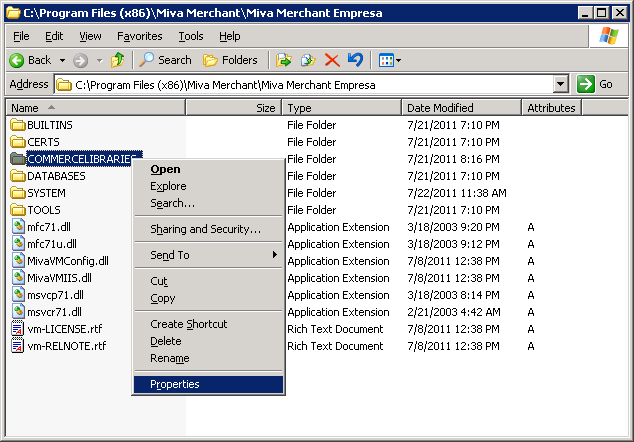
  2. Once downloaded place them in the appropriate location:

    or
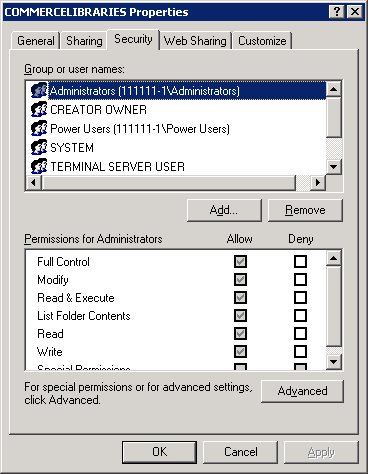
  3. Right-click on the COMMERCELIBRARIES folder and choose Properties.
    MME2k3IISvmsettings_09
  4. Click on the Security tab.
    MME2k3IISvmsettings_10
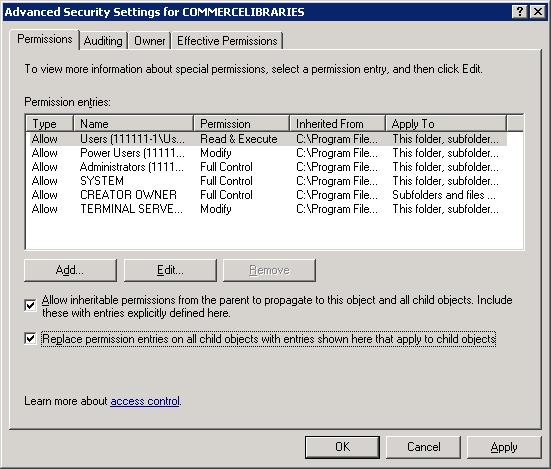
  5. Click Advanced, check the checkbox for Replace permission on entries on all child objects with entries shown here that apply to child objects and click OK.
    MME2k3IISvmsettings_13
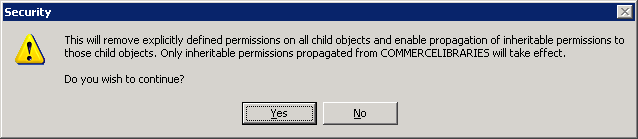
  6. Click Yes on the warning message.
    MME2k3IISvmsettings_12
  7. Click OK to close the COMMERCELIBRARIES Properties box.
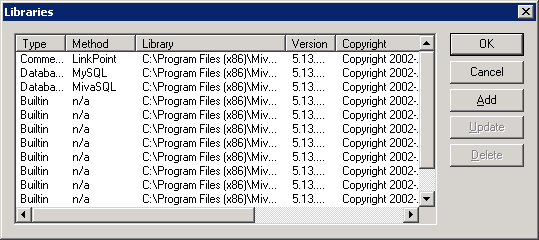
  8. Continuing from the last screen within IIS, click Libraries.
    MME2k3IISvmsettings_03
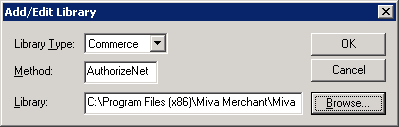
  9. Click Add to add the AuthorizeNet Library.
    1. Change the Library Type to
    2. Set the Method to

      .
    3. Enter in the path to the MCATHNET.DLL file:
      Or:
    4. Verify your settings
      MME2k3IISvmsettings_04
    5. Click OK to save your changes.
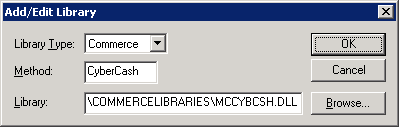
  10. Click Add to add the CyberCash Library.
    1. Change the Library Type to

      .
    2. Set the Method to

      .
    3. Enter in the path to the MCATHNET.DLL file:
      Or:
    4. Verify your settings
      MME2k3IISvmsettings_06
    5. Click OK to save your changes.
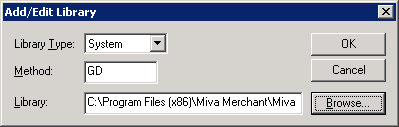
  11. Click Add to add the GD Library.
    1. Change the Library Type to

      .
    2. Set the Method to

      .
    3. Enter in the path to the bgd.dll file:
      Or:
    4. Verify your settings
      MME2k3IISvmsettings_08
    5. Click OK to save your changes.

Test using the Miva Diagnostics tool

  1. Copy diag6.mvc from either location below, and paste it in the webroot.
    Or
  2. From within IIS, locate this file, right click on it and choose Browse.
  3. Run each test.
    1. Under System Variables make sure miva_sslavailable = 1.
      • If it equals 0 try installing OpenSSL again.
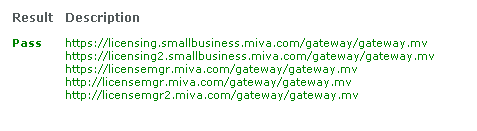
    2. Under License Manager Call you want to make sure all tests pass:
      MME2k3diag6_01
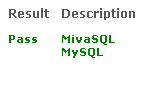
    3. Under Installed Database Libraries you want to make sure all tests pass, and that it shows both MivaSQL and MySQL:
      MME2k3diag6_02
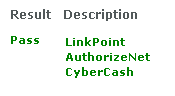
    4. Under Installed Commerce Libraries you want to make sure all tests pass, and that it shows LinkPoint, AuthorizeNet, and CyberCash:
      MME2k3diag6_03
    5. Under Installed System Libraries you want to make sure all tests pass, and that it shows GD:
      MME2k3diag6_04

Techno Viking and sidekick

Posted by Rose Bush on September 15th, 2011

If Techno Viking was a super hero, this Cop would totally be his sidekick.  See videos below:

httpv://www.youtube.com/watch?v=FwsntHcWiy4
and
httpv://www.youtube.com/watch?v=_61s62WKVio

This is me, on Easter, when I was 7

Posted by Rose Bush on September 15th, 2011

I love this song by Lily Allen.

Posted by Rose Bush on August 17th, 2011

httpv://www.youtube.com/watch?v=9hyrQzhU08w

Artist: Lily Allen
Title: Fuck You
Songwriters: Allen, Lily Rose; Kurstin, Gregory;

Look inside, look inside your tiny mind
Then look a bit harder
‘Cause we’re so uninspired, so sick and tired
Of all the hatred you harbor

So you say it’s not okay to be gay
Well, I think you’re just evil
You’re just some racist who can’t tie my laces
Your point of view is medieval

Fuck you, fuck you very, very much
‘Cause we hate what you do
And we hate your whole crew
So please don’t stay in touch

Fuck you, fuck you very, very much
‘Cause your words don’t translate
And it’s getting quite late
So please don’t stay in touch

Do you get, do you get a little kick
Out of being small minded?
You want to be like your father
It’s approval you’re after
Well, that’s not how you find it

Do you, do you really enjoy
Living a life that’s so hateful?
‘Cause there’s a hole where your soul should be
You’re losing control a bit
And it’s really distasteful

Fuck you, fuck you very, very much
‘Cause we hate what you do
And we hate your whole crew
So please don’t stay in touch

Fuck you, fuck you very, very much
‘Cause your words don’t translate
And it’s getting quite late
So please don’t stay in touch

Fuck you, fuck you, fuck you
Fuck you

You say you think we need to go to war
Well, you’re already in one
‘Cause it’s people like you that need to get slew
No one wants your opinion

Fuck you, fuck you very, very much
‘Cause we hate what you do
And we hate your whole crew
So please don’t stay in touch

Fuck you, fuck you very, very much
‘Cause your words don’t translate
And it’s getting quite late
So please don’t stay in touch

Fuck you, fuck you, fuck you

© EMI APRIL MUSIC INC.; KURSTIN MUSIC; UNIVERSAL-SONGS OF POLYGRAM INT’L;

Thanks reddit for finding this one

Posted by Rose Bush on August 4th, 2011

httpv://www.youtube.com/watch?v=IHnGMV8yOEQ

Copyright © 2026 Edventures in Normalcy. All rights reserved.