Open up SQL Server Management Studio and connect to the Database Engine (connection not pictured)
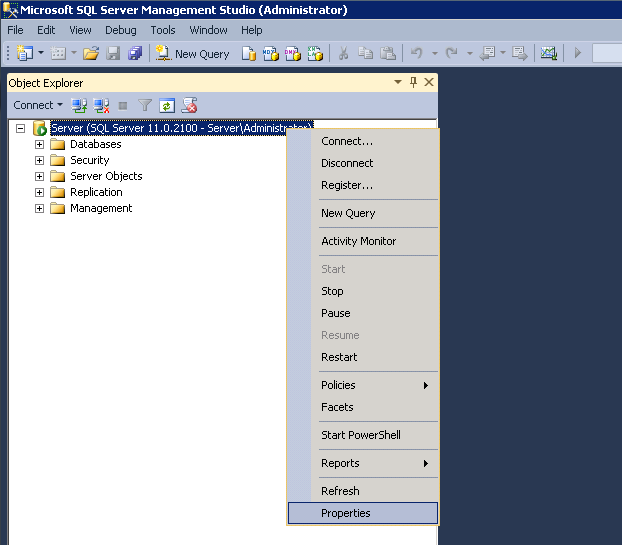
Right click on the instance and choose Properties from the menu.
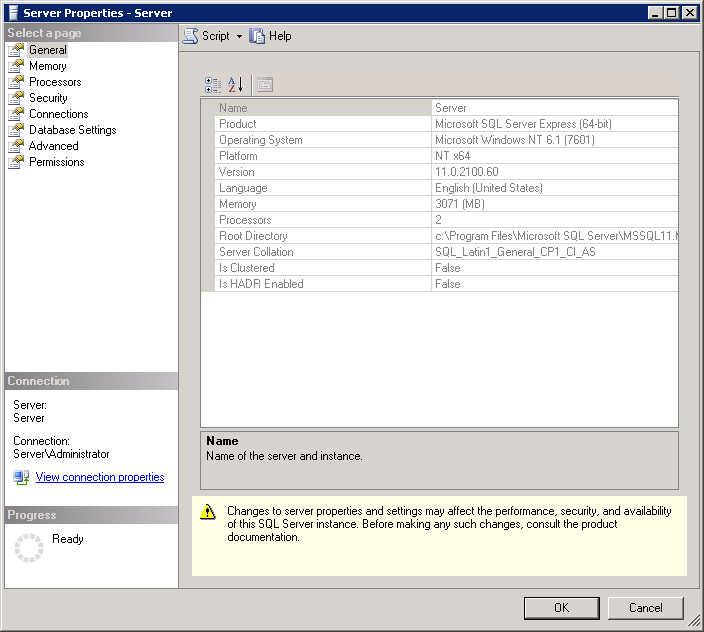
Here you can see the Product and the Version, as both are important details. If you are noting this for future reference I recommend noting the entire line of each. Keep in mind the Version does change as upgrades to SQL server are installed through KB’s and Windows Updates.
Leave a Reply